

Only firm admins can create, edit, and delete task statuses. These settings apply to everyone in your organization.
Statuses
Task statuses organize tasks into workflow stages, letting you track progress fromplanning through completion within each matter.
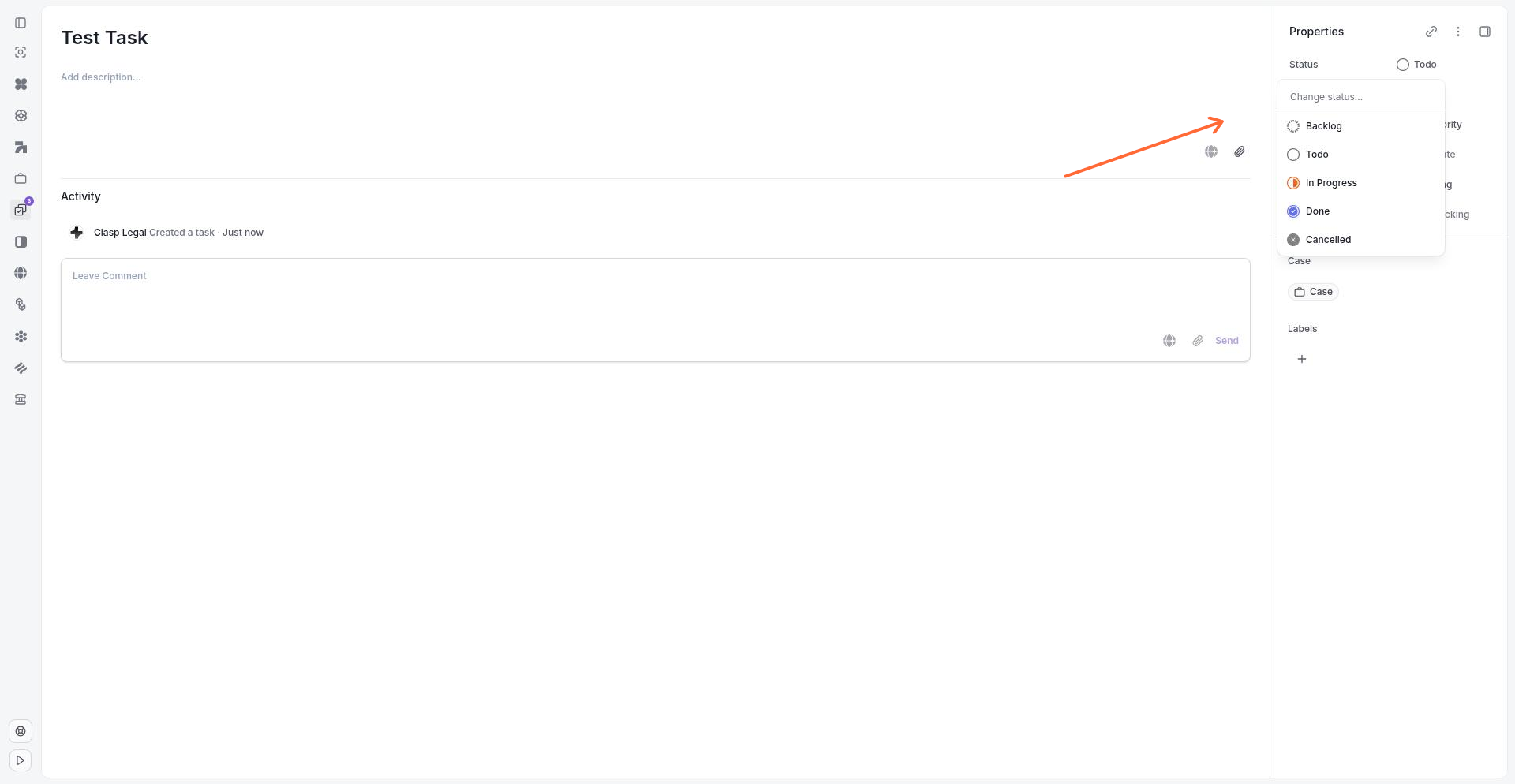
The status dropdown displays all available statuses organized by category.
Status Categories
Every task status belongs to one of five categories: Backlog, Unstarted, Started, Completed, or Cancelled. These categories represent the major phases of a task's lifecycle. Within each category, firm admins can create multiple custom statuses to match how your team works.
When you change a task's status, Clasp updates the task's progress and filters the task into the corresponding view. Tasks markedCompleted or Cancelled appear inclosed sections, while Started tasks surface in active work views.
Changing a Task Status
Open any task and click the status field. A dropdown appears showing all available statuses grouped by category. Select a new status to move the task into that workflow stage. The dropdown placeholder reads Change status... when no status is selected.
Configuring Custom Statuses
Firm admins can customize task statuses in Settings > Task Statuses. The settings page displays all current statuses organized by category, with an Add status button under each category heading.
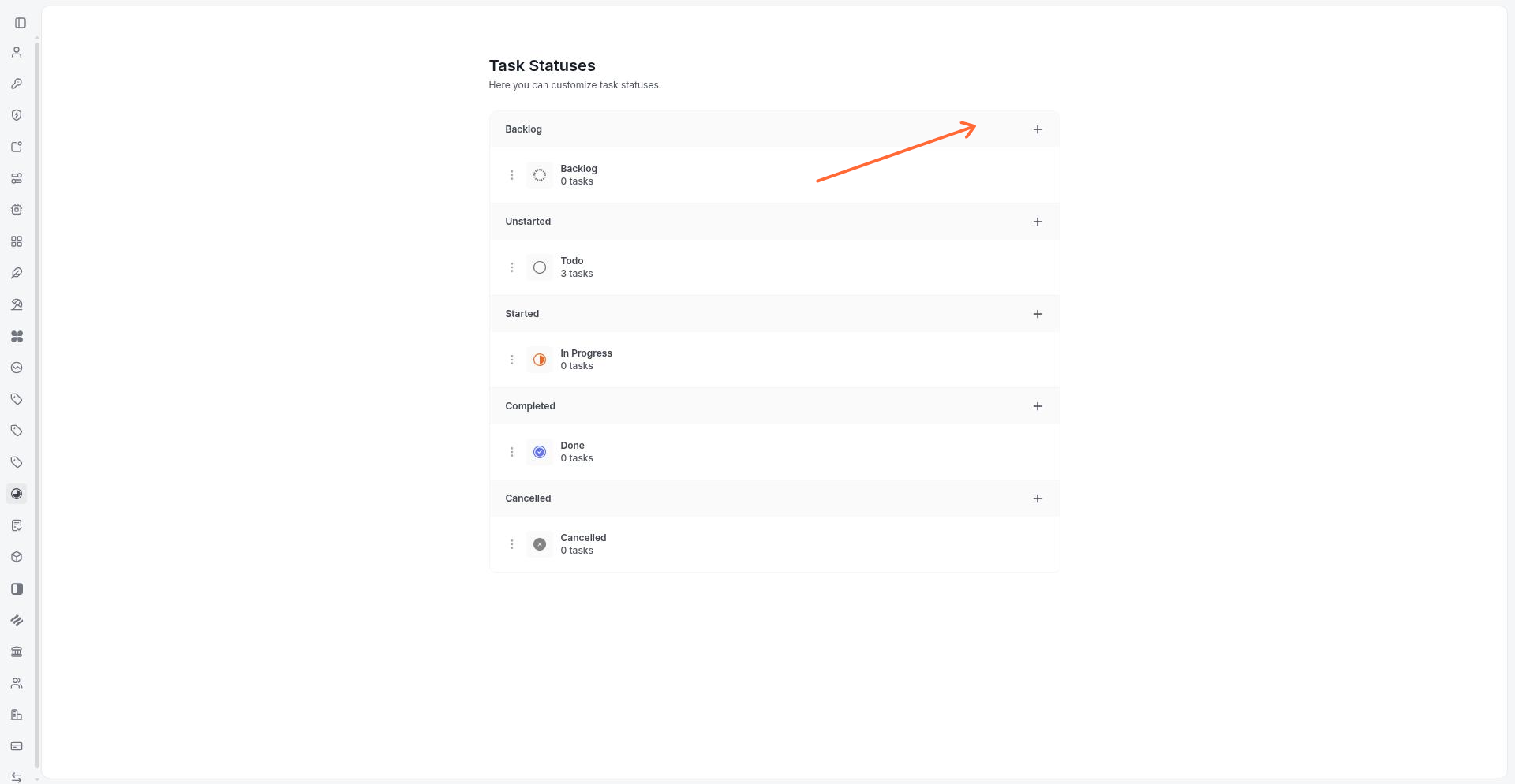
The Task Statuses settings page shows statuses organized by category with options to add, edit, reorder, and delete.
To add a new status, click Add status under the relevant category and enter the status name. To rename or delete an existing status, open the status menu and choose Edit or Delete. Statuses apply to everyone in your organization.
For more on firm-wide configuration, see Settings Overview and Team Members and Roles.
FAQ
Who can configure task statuses?
Are task statuses the same as matter workflow stages?
No. Task statuses track where a task sits in its lifecycle. Workflow stages define phases for matters or cases. Task statuses are configured separately in Settings.
Can I delete a status that has tasks assigned to it?
You must move or archive all tasks from that status before you can delete it.
Can I delete the last status in a category?
No. Each category must have at least one status at all times.
Was this helpful?