

No. Backlog, Unstarted, Started, Completed, and Cancelled are fixed categories. You can only add, rename, and reorder statuses inside each category.
Create Custom Task Statuses
Task statuses in Clasp are grouped into five fixed categories. You can add custom statuses inside each category, rename the defaults, and reorder them so the list matches how your firm tracks work.
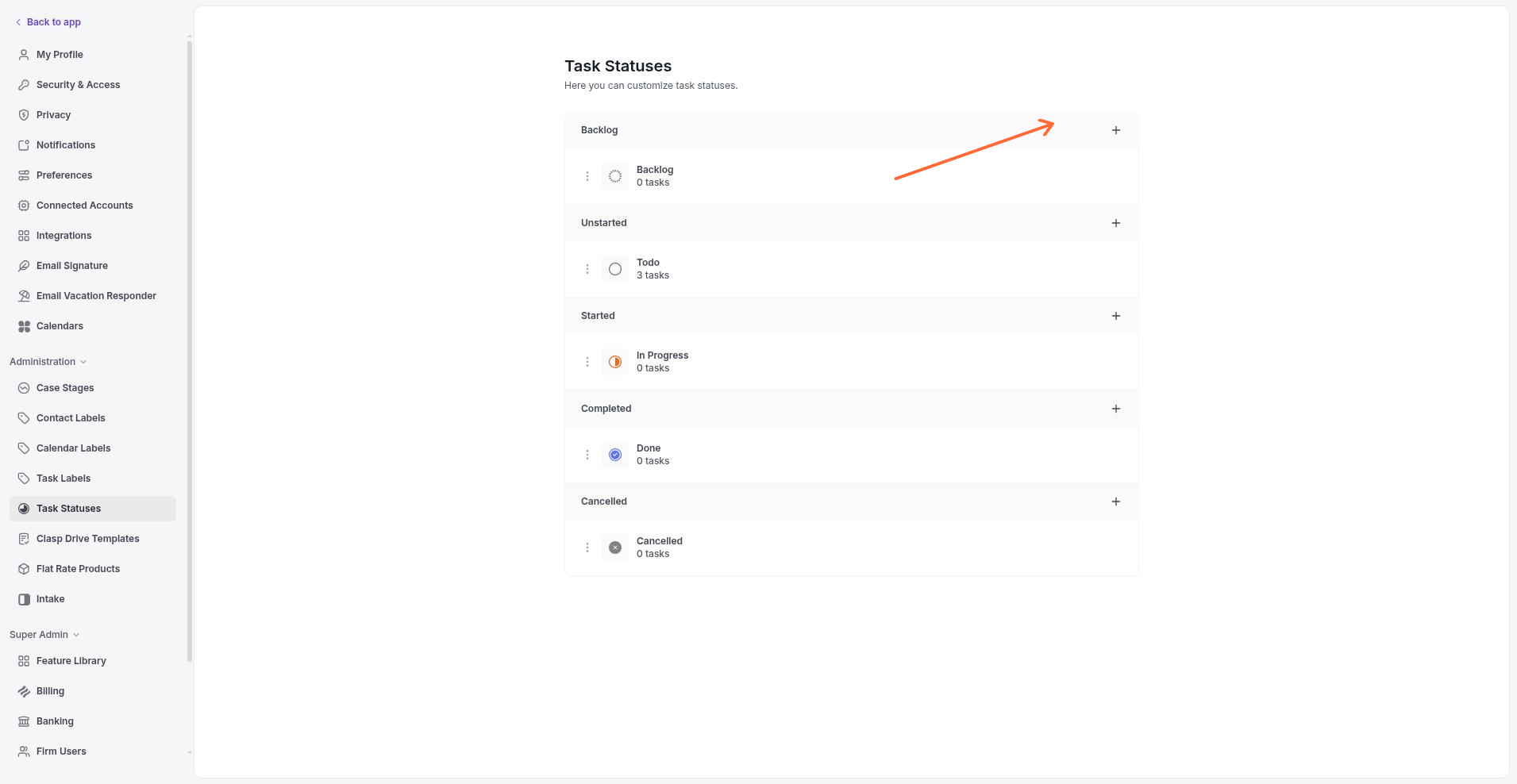
The Task Statuses settings page lists the five categories and their current statuses.
Task status categories
Every status belongs to one of five fixed categories. The seeded defaults that ship with your workspace are shown in parentheses.
Backlog (Backlog) — Work that has been identified but not yet scheduled.
Unstarted (Todo) — Tasks that are ready to begin.
Started (In Progress) — Tasks currently being worked on.
Completed (Done) — Tasks that are finished.
Cancelled (Cancelled) — Tasks that will not be completed.
Custom statuses apply across your entire workspace, so every case uses the same set.
Add a custom task status
Go to Settings in the sidebar.
Under Administration, click Task Statuses.
Find the category where you want the new status and click Add status.
Enter the Status name. Status names must be unique within your workspace.
Press Enter or click outside the field. The status is saved immediately and appears in the task status dropdown across your workspace.
Edit, reorder, or delete a status
You can manage existing statuses directly on the Task Statuses page.
To rename a status, click its name, edit the text, and press Enter or click outside the field.
To reorder statuses, drag a status up or down within its category.
To remove a status, click the delete icon next to it.
You cannot delete the last remaining status in a category. If tasks are currently assigned to a status, reassign or archive those tasks before you can delete it.
FAQ
Can I rename the five category names?
Why can't I delete a status?
Either it is the last status left in its category, or active tasks are still assigned to it. Add another status to the category first, then move the affected tasks and try again.
Do custom statuses apply to every case?
Yes. The task status set is shared across your entire workspace, so all cases use the same statuses.
Related: Create a Task · Assign a Task
Was this helpful?
Was this helpful?